$54.1
$107.12
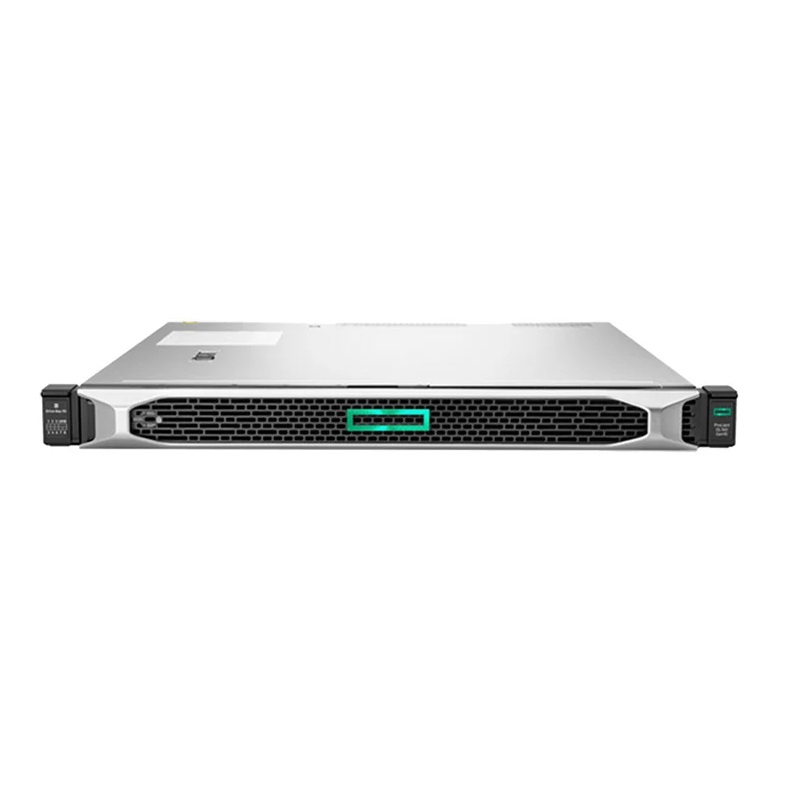
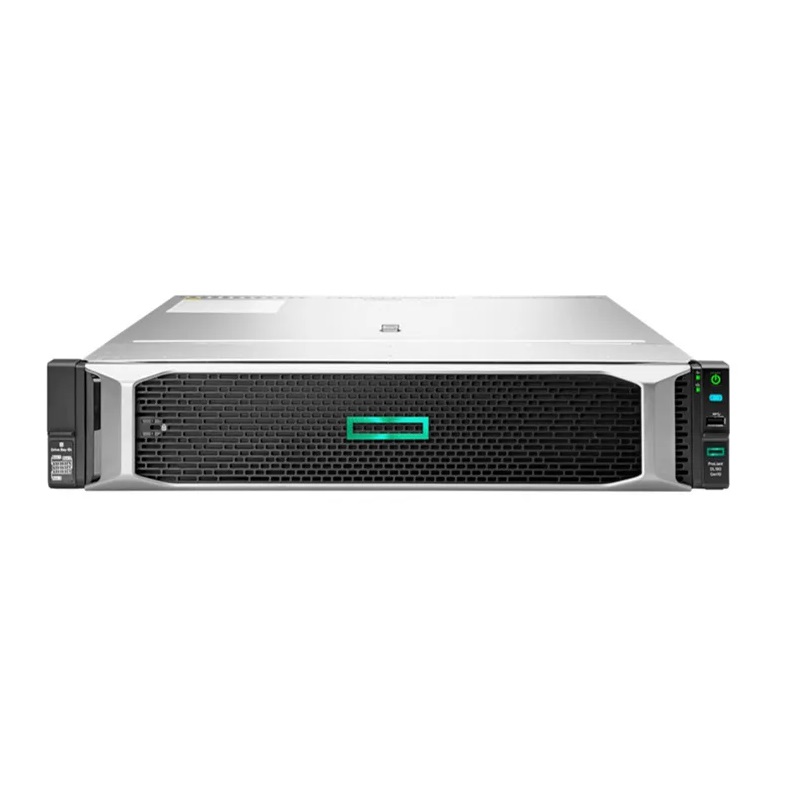
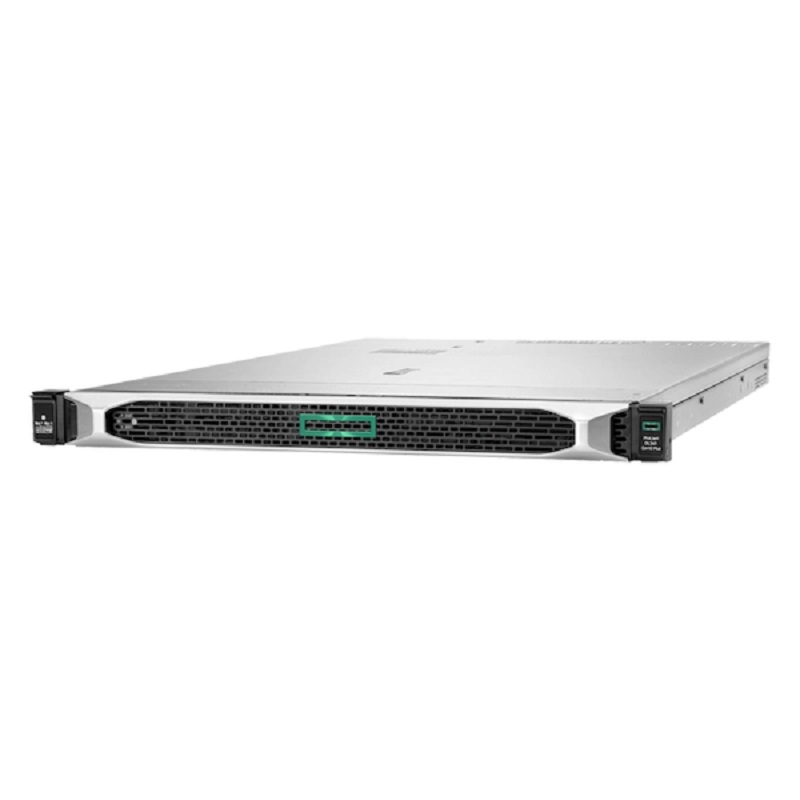
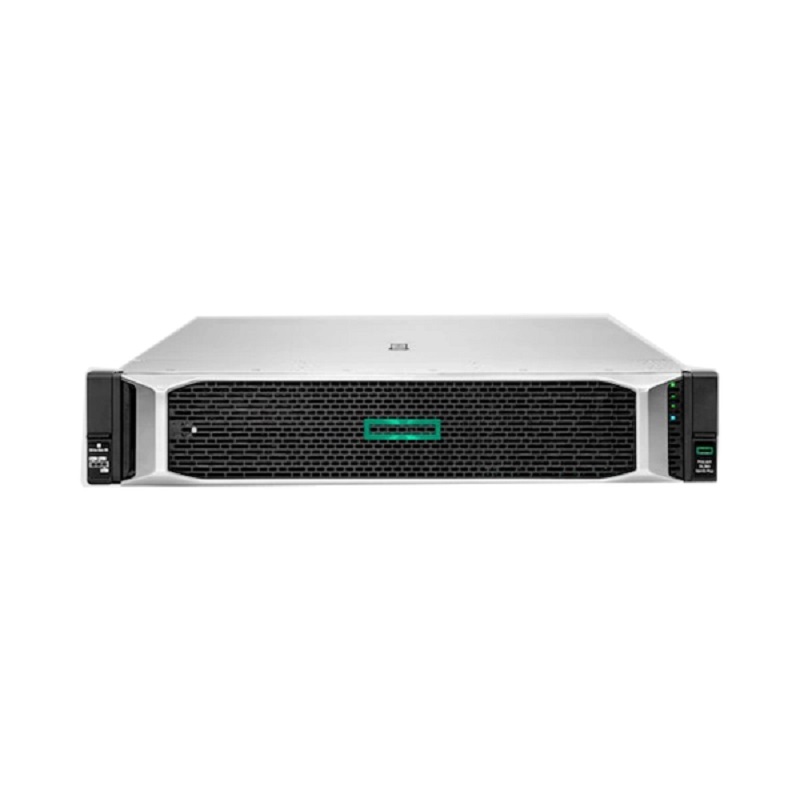
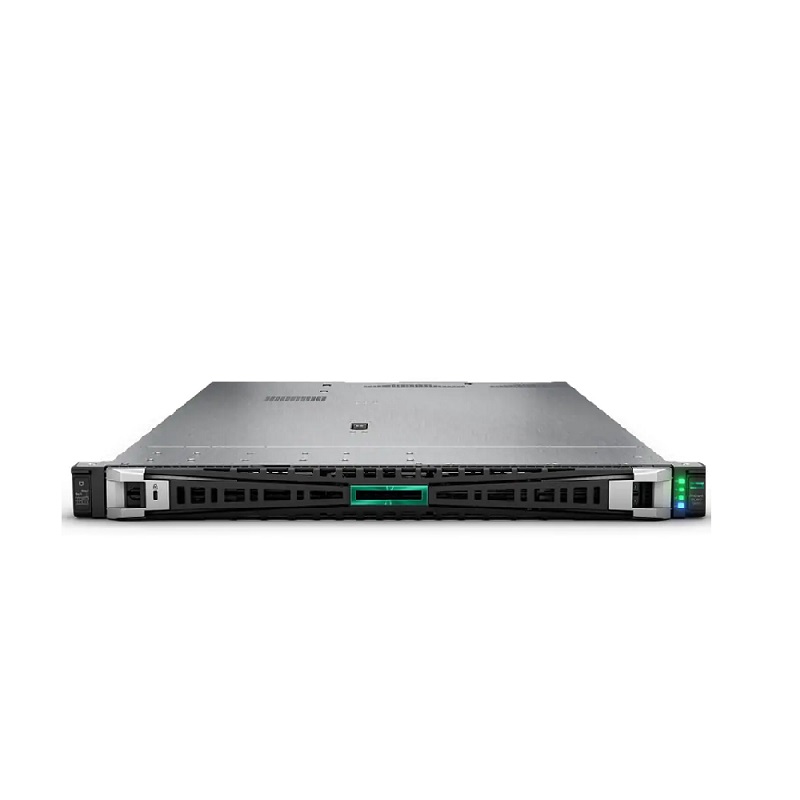
Thrilling Precision in a Compact Frame: HPE ProLiant DL360 Gen11 In the sleek 1U chassis of the HPE ProLiant DL360 Gen11 lies a potent fusion of density, flexibility, and performance-centric design. Small in rack height yet vast in capability, this server empowers businesses to harness modern workloads without compromise. It’s not merely a server—it’s a finely-tuned instrument of compute power. Imagine a system that quietly occupies minimal space, yet thrives under massive workloads, surging when required and conserving energy when idle. That’s the HPE ProLiant DL360 Gen11. Its compact form belies the expansive possibilities tucked within. The balance is remarkable: dual-socket support, next-generation DDR5 memory, PCIe Gen5 expansion, strong security, and remote management—all within a single rack unit. For organisations that demand both density and versatility, the DL360 Gen11 is a compelling choice. Key Features of HPE DL360 Gen11 Server Dual-socket architecture in a 1U form factor delivers high compute density without wasting rack space. Support for 4th and 5th Generation Intel® Xeon® Scalable Processors provides up to 64 cores per configuration, ensuring raw, scalable power for every workload. Massive DDR5 memory support, with up to 8 TB of total capacity, accelerates high-performance computing and virtualization. PCIe Gen5 and OCP mezzanine support enable lightning-fast I/O, preparing the server for the future of connectivity. Flexible storage architecture accommodates SFF, LFF, NVMe, and Tri-Mode SAS/SATA/U.3 drives for seamless scalability. Advanced HPE Silicon Root of Trust security, offering firmware integrity, memory encryption, and secure boot. HPE Integrated Lights-Out 6 (iLO6) for remote management, diagnostics, and lifecycle automation. Optimized for diverse workloads, including virtualization, hybrid cloud, database management, and high-performance analytics. This server merges raw power with elegant engineering. It stands in that sweet spot where smart design drives real business impact. HPE ProLiant DL360 Gen11 Specifications Supported Processors (CPU): Processor Model Cores / Threads Base Clock Max Turbo Clock L3 Cache TDP (W) PCIe Lanes Intel Xeon Platinum 8490H 60C / 120T 1.9 GHz 3.5 GHz 112.5MB 350W 80 Intel Xeon Platinum 8480 56C / 112T 2.0 GHz 3.8 GHz 105MB 350W 80 Intel Xeon Platinum 8468 48C / 96T 2.1 GHz 3.7 GHz 90MB 330W 80 Intel Xeon Platinum 8458P 44C / 88T 2.2 GHz 3.5 GHz 82.5MB 300W 80 Intel Xeon Gold 6430 32C / 64T 2.1 GHz 3.6 GHz 60MB 250W 80 Intel Xeon Gold 6428N 28C / 56T 2.0 GHz 3.5 GHz 52.5MB 225W 80 Intel Xeon Gold 6414U 24C / 48T 2.1 GHz 3.7 GHz 45MB 205W 80 Intel Xeon Silver 4410Y 20C / 40T 2.0 GHz 3.5 GHz 37.5MB 170W 80 Intel Xeon Silver 4408P 16C / 32T 2.0 GHz 3.4 GHz 30MB 125W 80 Intel Xeon Silver 4408H 12C / 24T 2.3 GHz 3.5 GHz 22.5MB 110W 80 The DL360 Gen11 supports 4th and 5th Generation Intel® Xeon® Scalable processors, offering up to 64 cores per CPU. Dual-socket configurations enable massive scalability and flexibility. With Intel’s latest architecture and power envelopes up to 385 W, it can tackle dense compute workloads with ease. The Intel C741 chipset supports cutting-edge performance tuning and enhanced I/O throughput. Memory (RAM) Support: Memory Type Capacity (per module) Speed Maximum Capacity Memory Slots ECC Support RDIMM / LRDIMM DDR5 RDIMM 16GB, 32GB, 64GB, 128GB 4800 MT/s Up to 8TB 32 (2 CPUs) Yes RDIMM DDR5 LRDIMM 128GB, 256GB 4800 MT/s Up to 8TB 32 (2 CPUs) Yes LRDIMM Persistent Memory (PMem 300 series) 128GB, 256GB, 512GB 4400 MT/s Up to 6TB Mixed with DDR5 Yes Intel Optane Persistent Memory Memory is one of this server’s strongest features. Supporting DDR5 SmartMemory with up to 16 DIMMs per CPU, it delivers up to 8 TB of total capacity. Speeds reach up to 4800 MT/s, reducing latency and improving bandwidth across memory-intensive tasks. For virtualization, in-memory databases, or analytics, this configuration ensures sustained throughput even under heavy demand. Storage (HDD/SSD) Support: The DL360 Gen11’s storage flexibility is exceptional. It offers up to eight front-accessible SFF drive bays and optional Universal Media Bay configurations. Its Tri-Mode SAS/SATA/U.3 NVMe backplanes allow you to mix and match drive types effortlessly—ideal for balancing performance and cost. Supported Hard Drives: Drive Type Form Factor Interface Capacities Max Supported Drives RAID Support NVMe SSD 2.5″ (SFF) PCIe Gen4 960GB, 1.92TB, 3.84TB, 7.68TB, 15.36TB Up to 10 (front) RAID 0, 1, 5, 10 SAS SSD 2.5″ (SFF) 12Gbps SAS 400GB, 800GB, 1.6TB, 3.2TB, 6.4TB Up to 10 (front) RAID 0, 1, 5, 10 SATA SSD 2.5″ (SFF) 6Gbps SATA 240GB, 480GB, 960GB, 1.92TB, 3.84TB, 7.68TB Up to 10 (front) RAID 0, 1, 5, 10 SAS HDD 2.5″ (SFF) 12Gbps SAS 300GB, 600GB, 1.2TB, 2.4TB, 4TB Up to 10 (front) RAID 0, 1, 5, 10 SATA HDD 2.5″ (SFF) 6Gbps SATA 500GB, 1TB, 2TB Up to 10 (front) RAID 0, 1, 5, 10 NVMe Boot Drive M.2 PCIe Gen4 480GB, 960GB Up to 2 (internal) No RAID Compatible with SAS HDDs/SSDs, SATA HDDs/SSDs, and NVMe U.3 SSDs, this system ensures complete freedom in storage design. Hot-plug support makes upgrades and maintenance fast and non-disruptive, while high-speed NVMe ensures optimal IOPS for latency-sensitive workloads. Supported Graphics Cards (GPU) Though compact, the DL360 Gen11 can host up to two single-wide GPUs, enabling acceleration for AI inference, machine learning, or graphical workloads. GPU support transforms this slim 1U chassis into a capable hybrid compute node, suitable for both visual workloads and compute-intensive tasks. Networking and Expansion Networking and I/O are future-ready with PCIe Gen5 architecture. Two x16 PCIe slots and dual OCP mezzanine slots allow high-speed networking cards, NVMe expansion, or storage controllers. Network interfaces support 1 GbE up to 100 GbE depending on configuration, ensuring flexible connectivity for everything from branch deployments to data-center clusters. This modular approach means it adapts gracefully to new technologies, protecting your investment as standards evolve. HPE iLO6 and Security Features The integrated iLO6 platform delivers enterprise-grade remote management, allowing administrators to deploy, monitor, and troubleshoot servers from anywhere. Firmware updates, performance analytics, and intelligent automation can be executed remotely, ensuring uptime and efficiency. Security is foundational to the DL360 Gen11’s DNA. HPE’s Silicon Root of Trust safeguards the boot process at the hardware level. Combined with secure boot, memory encryption, firmware verification, and TPM 2.0 support, it creates a fortified defense against intrusion and tampering. For industries that handle sensitive data, this architecture is indispensable. Use Cases of HPE ProLiant DL360 Gen11 The DL360 Gen11’s strength lies in its adaptability. Virtual Desktop Infrastructure (VDI): Perfect for hosting dense virtual environments with GPU acceleration. Hybrid Cloud Computing: Seamlessly integrates with HPE GreenLake or private cloud environments. Electronic Design Automation (EDA) and CAD: Handles compute-intensive simulations and renderings effortlessly. In-Memory Databases: With up to 8 TB of DDR5 RAM, it excels in high-speed data analytics and caching workloads. Edge Deployments: Compact 1U design fits in space-restricted sites while maintaining enterprise-class capability. High-Performance Clusters: Ideal for compute nodes in distributed workloads, supporting HPC or AI training. How to Configure HPE ProLiant DL360 Gen11 for Maximum Performance Firmware and BIOS Updates: Always begin by updating BIOS, firmware, and iLO software. HPE’s Service Pack for ProLiant (SPP) ensures compatibility, stability, and performance enhancements. Memory Configuration: Populate DIMMs symmetrically across both CPUs to maintain optimal bandwidth. Use matching DDR5 modules for uniform performance and activate performance profiles in BIOS to unlock maximum frequency. Processor Configuration: Processor Model Cores / Threads Base Clock Max Turbo Clock L3 Cache TDP (W) PCIe Lanes Intel Xeon Platinum 8490H 60C / 120T 1.9 GHz 3.5 GHz 112.5MB 350W 80 Intel Xeon Platinum 8480 56C / 112T 2.0 GHz 3.8 GHz 105MB 350W 80 Intel Xeon Platinum 8468 48C / 96T 2.1 GHz 3.7 GHz 90MB 330W 80 Intel Xeon Platinum 8458P 44C / 88T 2.2 GHz 3.5 GHz 82.5MB 300W 80 Intel Xeon Gold 6430 32C / 64T 2.1 GHz 3.6 GHz 60MB 250W 80 Intel Xeon Gold 6428N 28C / 56T 2.0 GHz 3.5 GHz 52.5MB 225W 80 Intel Xeon Gold 6414U 24C / 48T 2.1 GHz 3.7 GHz 45MB 205W 80 Intel Xeon Silver 4410Y 20C / 40T 2.0 GHz 3.5 GHz 37.5MB 170W 80 Intel Xeon Silver 4408P 16C / 32T 2.0 GHz 3.4 GHz 30MB 125W 80 Intel Xeon Silver 4408H 12C / 24T 2.3 GHz 3.5 GHz 22.5MB 110W 80 Choose CPUs based on workload type—high core count for parallel processing, high clock speed for latency-sensitive operations. Enable Turbo Boost and tune NUMA settings for locality-based optimization. Storage Configuration: Use NVMe drives for high IOPS workloads and SAS/SATA drives for capacity. Utilize the Tri-Mode backplane to mix drive types and configure RAID for redundancy. Monitor storage latency and adjust queue depths for optimal responsiveness. Networking Configuration: Select NICs that fit your bandwidth needs—10 GbE for mid-tier workloads, 25 GbE or 100 GbE for data-intensive tasks. Enable SR-IOV and offload features to reduce CPU overhead. Power and Cooling Settings: Install high-efficiency Titanium power supplies and configure redundant modes for resilience. Maintain airflow through the 1U chassis and monitor thermal thresholds via iLO6 sensors. Virtualization and Operating Systems: Use the latest hypervisor versions that support Gen11 hardware. Align virtual machine allocations with physical NUMA domains, and enable hardware acceleration features for virtualized workloads. HPE Monitoring Tools: Deploy HPE OneView for lifecycle management and HPE InfoSight for predictive analytics. These tools help fine-tune server settings and prevent potential failures before they occur. Security and Firmware Optimization: Activate Silicon Root of Trust, enable Secure Boot, and disable unnecessary interfaces. Regularly update firmware to defend against vulnerabilities and use encryption where sensitive data is processed. Performance Tuning by Workload: Compute-bound tasks: prioritize CPUs with higher core counts. Memory-bound workloads: maximize DIMM population and speed. I/O-intensive environments: use NVMe storage and high-bandwidth NICs. GPU-based workloads: ensure cooling profiles match GPU TDP and driver updates are maintained. Each layer of optimization compounds to elevate performance, stability, and efficiency. Comparison: HPE ProLiant DL360 Gen11 vs DL380 Gen11 The DL360 Gen11 and DL380 Gen11 are siblings with distinct strengths. Form Factor: The DL360 Gen11’s 1U design focuses on density, while the DL380 Gen11’s 2U chassis offers more internal space for storage and expansion. Expansion: The DL380 supports more drive bays and GPUs, but the DL360 delivers better space efficiency. Thermal Management: The DL380 has greater airflow capacity and supports higher TDP processors. Ideal Use: Choose the DL360 for compute-dense environments; opt for the DL380 for storage-rich deployments or high-GPU nodes. Both models share HPE’s Gen11 innovations—PCIe Gen5, DDR5, and iLO6—but their chassis and scalability cater to different workloads. Technical Specifications of HPE ProLiant DL360 Gen11 Category Specification Form Factor 1U Rack Server Processors Supports up to 2x Intel Xeon Scalable Gen4 CPUs (Platinum, Gold, Silver) Max Cores per CPU Up to 60 cores per CPU Chipset Intel C741 Memory Type DDR5 RDIMM / LRDIMM / Persistent Memory Max Memory Capacity Up to 8TB (32 DIMM slots, 2 CPUs) Memory Speed Up to 4800 MT/s Storage Options Up to 10x SFF (2.5”) NVMe, SAS, or SATA drives Boot Drive Dual M.2 NVMe (PCIe Gen4) RAID Support RAID 0, 1, 5, 6, 10, 50, 60 (HPE Smart Array Controllers) PCIe Expansion Up to 3 PCIe Gen5 slots GPU Support NVIDIA A2, A10, A16, T4, and AMD GPUs Networking 2x 1GbE, Optional 10/25/100GbE Adapters Power Supply Dual Hot-Plug 500W / 800W / 1600W Redundant PSU Cooling Hot-Plug Redundant Fans Remote Management HPE iLO 6, HPE OneView Security Features Silicon Root of Trust, Secure Boot, TPM 2.0, Chassis Intrusion Detection Operating System Support Windows Server, VMware, Linux (RHEL, SUSE, Ubuntu, CentOS) Weight Approx. 15-20 kg (depending on configuration) Form Factor: 1U rackmount Processors: Dual 4th/5th Gen Intel® Xeon® Scalable CPUs (up to 64 cores each) Chipset: Intel C741 series Memory: DDR5 SmartMemory up to 8 TB (16 DIMMs per CPU) Storage: Up to 8 SFF front bays, Tri-Mode SAS/SATA/U.3 NVMe support Expansion: PCIe Gen5 slots (2 × x16), 2 OCP mezzanine slots Networking: Modular NIC support (1 GbE to 100 GbE) Remote Management: HPE iLO6 embedded controller Security: Silicon Root of Trust, TPM 2.0, Secure Boot, memory encryption Power: Redundant Titanium Flex Slot PSUs Cooling: Smart fan modules for thermal efficiency Chassis Dimensions: Approx. 75 cm depth, 43 cm width
Servers