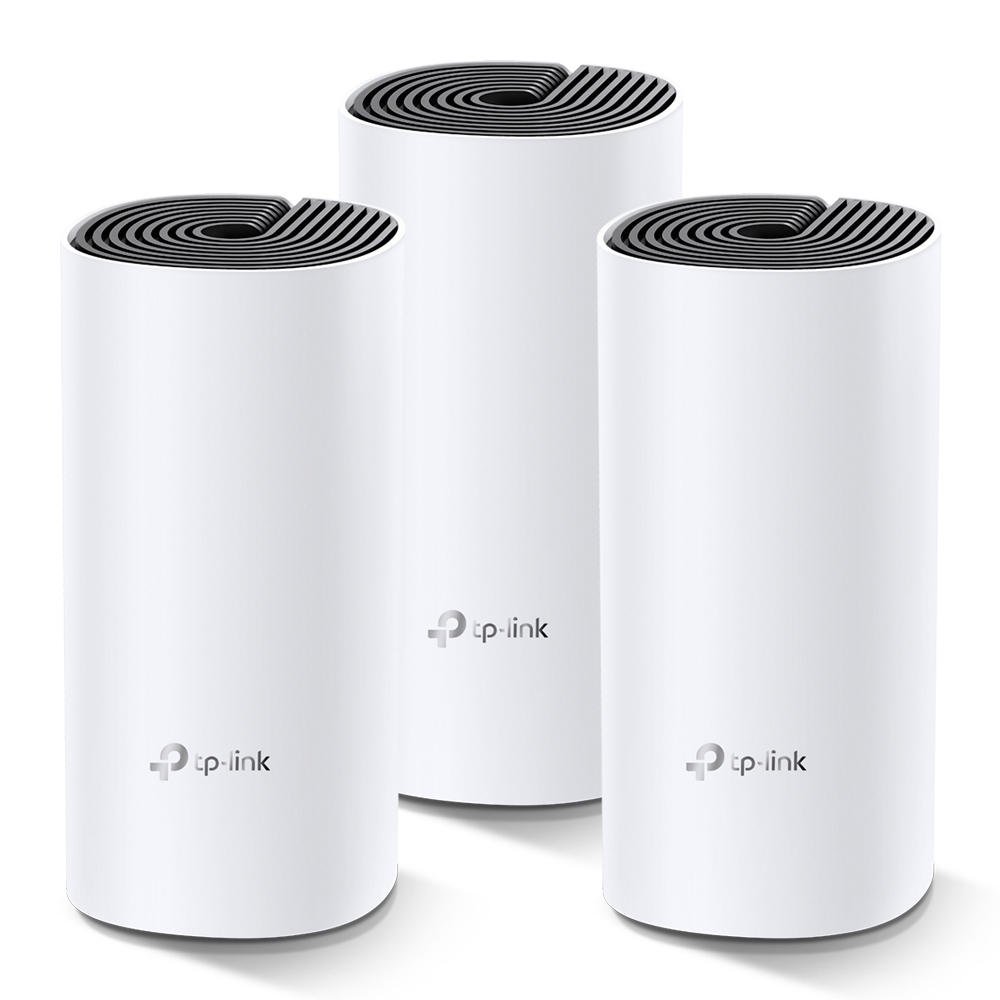
TP-Link Deco M4 Whole Home Mesh Wi-Fi System (3 Pack)
$44.91
$88.47
Description The Deco M4 set is the most straightforward method to provide a strong Wi-Fi connection in every part of your home up to 4,000 square feet (3-pack). Wireless connectivity and optional Ethernet backhaul operate in tandem to connect Deco units, resulting in higher network speeds and fully seamless coverage. Do you want further coverage? Simply insert another Deco. Ranch-Style Home 2.4 GHz Wireless Connection Multi-Story Home 5 GHz Wireless Connection L-Shaped Home Optional Gigabit Ethernet Backhaul Deco devices create a TP-Link Mesh which interact with each other to build a cohesive network. As you walk throughout your house, your phone or tablet automatically connects to the fastest Deco, giving a totally seamless Wi-Fi experience. https://www.smart-secure.co.uk/wp-content/uploads/sites/3/2021/07/d1.mp4 https://www.smart-secure.co.uk/wp-content/uploads/sites/3/2021/07/nomesh-new.mp4 Features Deco employs a series of devices to provide seamless whole-home Wi-Fi coverage – finally, no more poor signal regions! For the quickest possible speeds, devices automatically switch across Decos as you travel about your home. A Deco M4 three-pack provides Wi-Fi coverage for up to 4,000 square feet. If that isn’t enough, just add more Decos to the network at any moment to expand coverage. Deco M4 delivers fast and reliable connections with rates of up to 1167 Mbps and works with major ISPs ( internet service provider) and modems. Deco can manage traffic from even the busiest networks, allowing up to 100 devices to connect without latency. Parental Controls restrict internet time and ban unsuitable websites based on individual profiles generated for each family member. The Deco app walks you through every step of the setup process, making it easier than ever. What’s Included 3 x Deco M4R Units 1 x RJ45 Ethernet Cable 3 x Power Adaptors 1 x Quick Installation Guide At Your Fingertips: Deco Network Management! The Deco app makes it simple to set up, operate, and monitor your Deco Whole Home Mesh Wi-Fi System from your iOS or Android device. Management Is Easy Deco makes it simple to manage your Wi-Fi from any location, whether you're at home, at work, or somewhere in between. Dashboard for Simple Management View the state of your network, the devices that are connected to it, and all of the functions that your router has to offer. Observe the Devices That Are Connected View a list of your connected devices, as well as the option to suspend and restart internet connection, test internet speed, and prioritise or ban devices. One App, Several Decos The Deco app handles all of your Deco networks as well as the devices that are connected to your Deco Wi-Fi. Observe the Devices That Are Connected Take control of the network remotely with a tap of your phone—no matter where you are. Setup has just been made a whole lot easier Simply unbox the Deco set, install the app, and then follow the on-screen instructions. The Deco app will do the rest, getting your network up and operating in minutes. 1) Connect the Deco unit to a cable modem and switch them both on. 2) Install and run the Deco app. 3) To customise your Deco system, follow the in-app instructions. Manuals & Datasheets TP-Link Deco Whole Home Mesh Wi-Fi System Quick Installation Guide TP-Link Deco Whole Home Mesh Wi-Fi System Datasheet Technical Specs Wireless Standards Wi-Fi 5 IEEE 802.11ac/n/a 5 GHz IEEE 802.11n/b/g 2.4 GHz WiFi Speeds AC1200 5 GHz: 867 Mbps (802.11ac) 2.4 GHz: 300 Mbps (802.11n) Wifi Range 3-5 Bedroom Houses (3-pack) TP-Link Mesh Technology Optional Ethernet backhaul work together to link Deco units to provide seamless coverage 2× Antennas (Internal) Multiple antennas form a signal-boosting array to cover more directions and large areas Beamforming Concentrates wireless signal strength towards clients to expand WiFi range WiFi Capacity Medium Dual-Band Distribute devices to different bands for optimal performance MU-MIMO Simultaneously communicates with multiple MU-MIMO clients Working Modes Router Mode Access Point Mode Hardware Processor Qualcomm CPU Ethernet Ports 2x Gigabit Ports (Supports WAN/LAN auto-sensing) Buttons Reset Button Power 12 V ⎓ 1.5 A Security Wifi Encryption WPA WPA2 Network Security SPI Firewall Access Control Guest Network 1 x 5GHz Guest Network 1 x 2.4GHz Guest Network Software Protocols IPv4, IPv6 Parental Controls URL Filtering, Time Controls WAN Types Dynamic IP, Static IP, PPPoE, PPTP, L2TP Quality of Service QoS by Device Cloud Service OTA Firmware Upgrade, TP-Link ID, DDNS NAT Forwarding Port Forwarding, UPnP IPTV IGMP Proxy, IGMP Snooping, Bridge, Tag VLAN DHCP Address Reservation, DCHP Client List, Server DDNS TP-Link Management Deco App Physical Dimensions 90.7 x 90.7 x 190 mm Operating Temperature 0°C - 40°C Storage Temperature -40°C - 70°C Operating Humidity 10%-90% non-condensing Storage Humidity 5%-90% non-condensing Other System Requirements Android 4.4 or later, IOS 9.0 or later Certifications CE, FCC, IC, NCC, BSMI, IDA, RCM, JPA, JRF, VCCI, KC, RoHS WiFi Transmission Power CE <20 dBm (2.4 GHz), <23 dBm (5 GHz) FCC <30 dBm
Wi-Fi Range Extenders